New Zealand – Application Help
Source: https://www.admissions.illinois.edu/self-reported/new-zealand Parent: https://www.admissions.illinois.edu/apply/international
Education Section Help
Enter your school and select "Yes" under the Education System question to indicate you are in an exam-based educational system. Select "Other" for the Grading Scale and type External Exam-NCEA 1/2/3 grading information in the text box. If you've enrolled in a college or university after completing secondary schooling, you must apply as a transfer student.
Courses Section Help
- For schools following NCEA system, do not report academic results from your school transcripts.
- In the Courses sections, select "I only have international exam results during this period OR I did not attend this school during years 9-11/grade 12." You will report your exams in the Other Academic Information section.
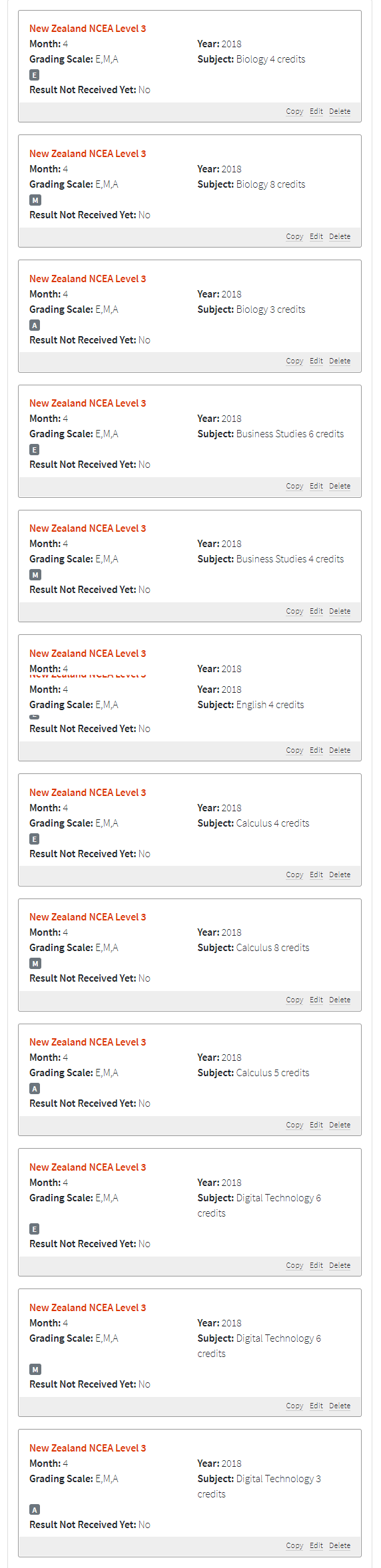
- Report your NCEA results in the Other Academic Information section titled "International External Exam Results." Select New Zealand NCEA Level 1/2/3 and fill in the correct information.
- Within the Subject field, enter the subject and credits associated with the subject. Under "Grading Scale" select E,M,A. If you earned multiple grades within one subject, enter the subject and credits earned with that grade. For example, if a student takes Biology and earns a total of 5 credits at Achieved, 8 credits at Merit and 7 credits, the exam would have three entries.