International Baccalaureate – Application Help
Source: https://www.admissions.illinois.edu/self-reported/international-baccalaureate-courses Parent: https://www.admissions.illinois.edu/apply/international
Education Section Help
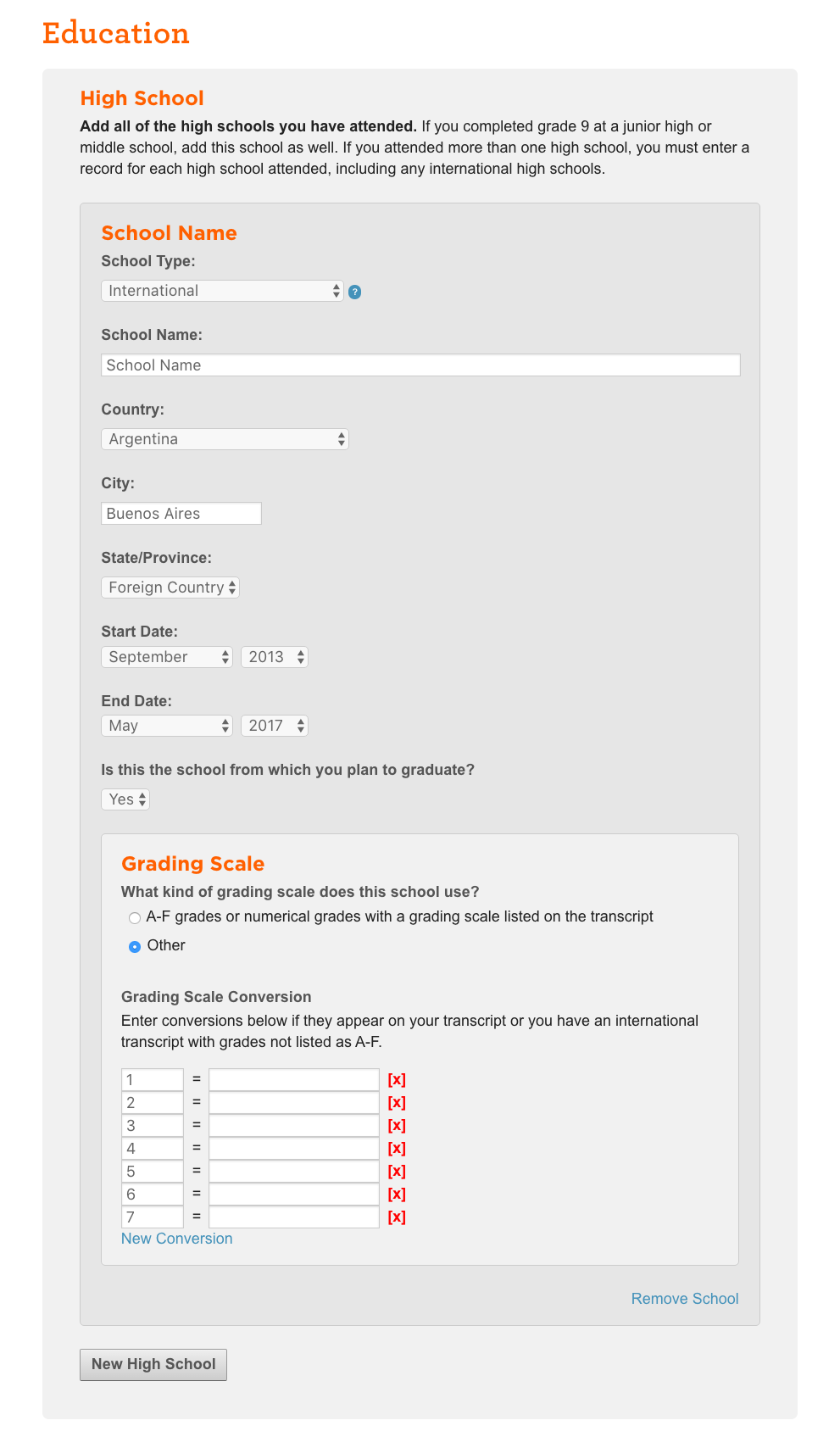
- Report the grading scale used at your institution. Select "Other" and "New Scale/Conversion." For schools using the traditional IB scale of 1-7, list 1-7 on the left column and leave the right column blank. If your school converts the 1-7 IB scores to letter grades, please report the numerical range for each letter grade. We do not use total diploma number in review.
- If you are attending school outside of the United States, select "No" under the Education System question to indicate that you are not in an exam-based educational system. We will use your term grades in the application review. You should only answer "Yes" to this question if you are in a system with externally administered exams for years 9-10 (example: India Standard X or IGCSE/O-Levles).
Examples
Courses Section Help
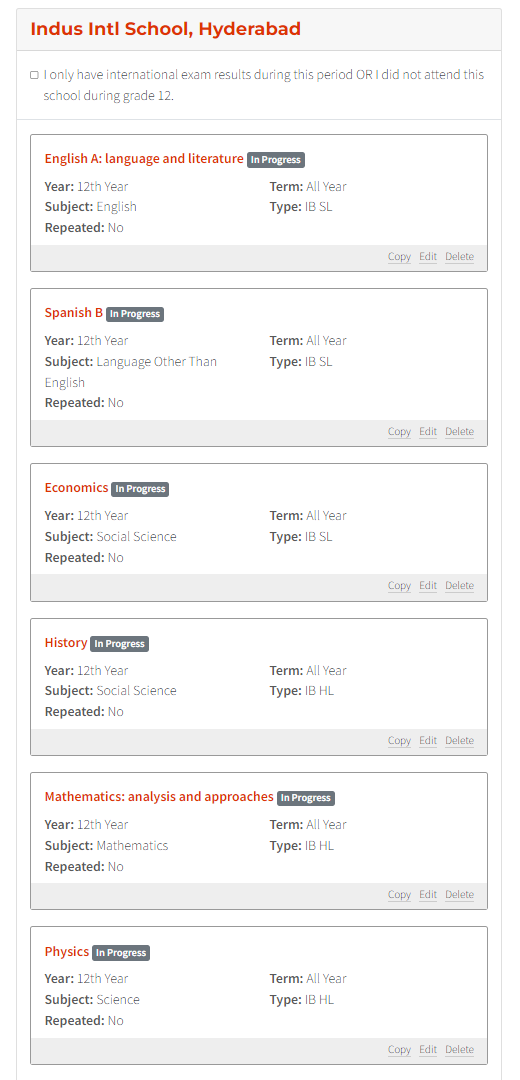
- Enter the course name and grade/mark for grades 9 through 11. If you've already completed grade 12, the grade/mark should be reported in the Courses Year 12 section of the application. Otherwise, the grade/mark for grade 12 should be listed as in progress (IP). For all courses including math, specify your course title. For example, specify if your course is Math Analysis and Approaches, Math Studies, or Math Application and Interpretation.
- For students who took IB courses and were in systems with externally administered exams (Indian Standard X or IGCSE/O-Levels), list your IB classes for year 11 and 12 as they appear on your transcript, but do not enter your external exam scores in the Courses section. Instead, enter them in the Other Academic Information section.
- Select "IB HL" or "IB SL" under "Type." If your school reports both semester and year grades, enter the semester grades only.