China – Application Help
Source: https://www.admissions.illinois.edu/self-reported/china-courses Parent: https://www.admissions.illinois.edu/apply/international
Education Section Help
- Enter your school.
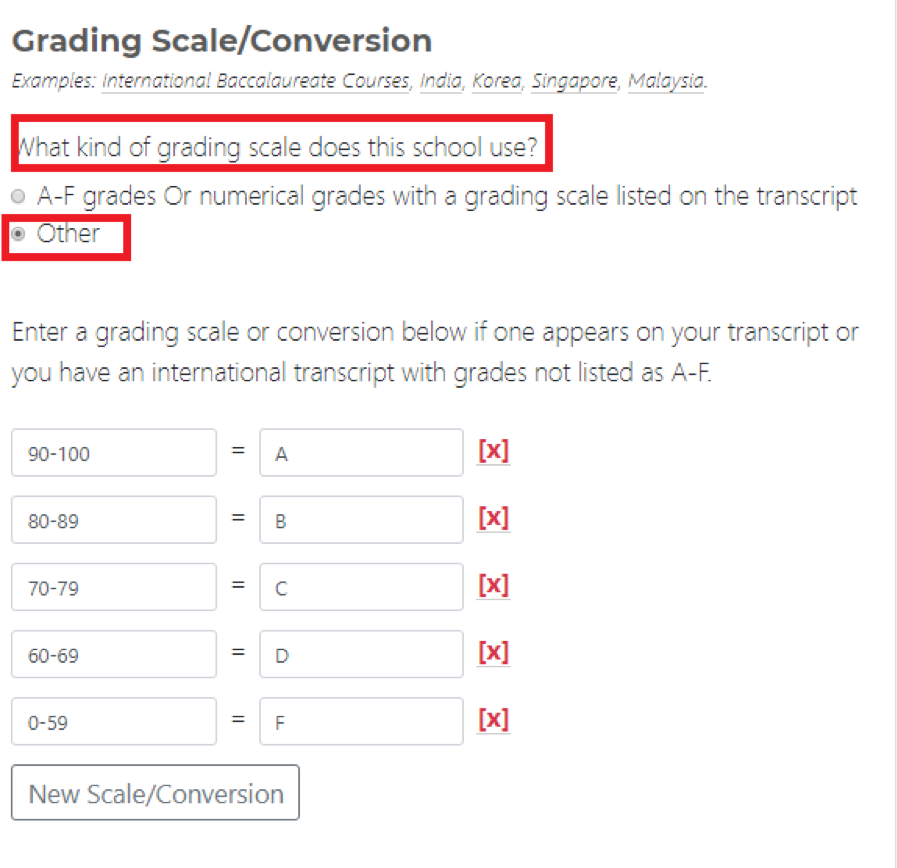
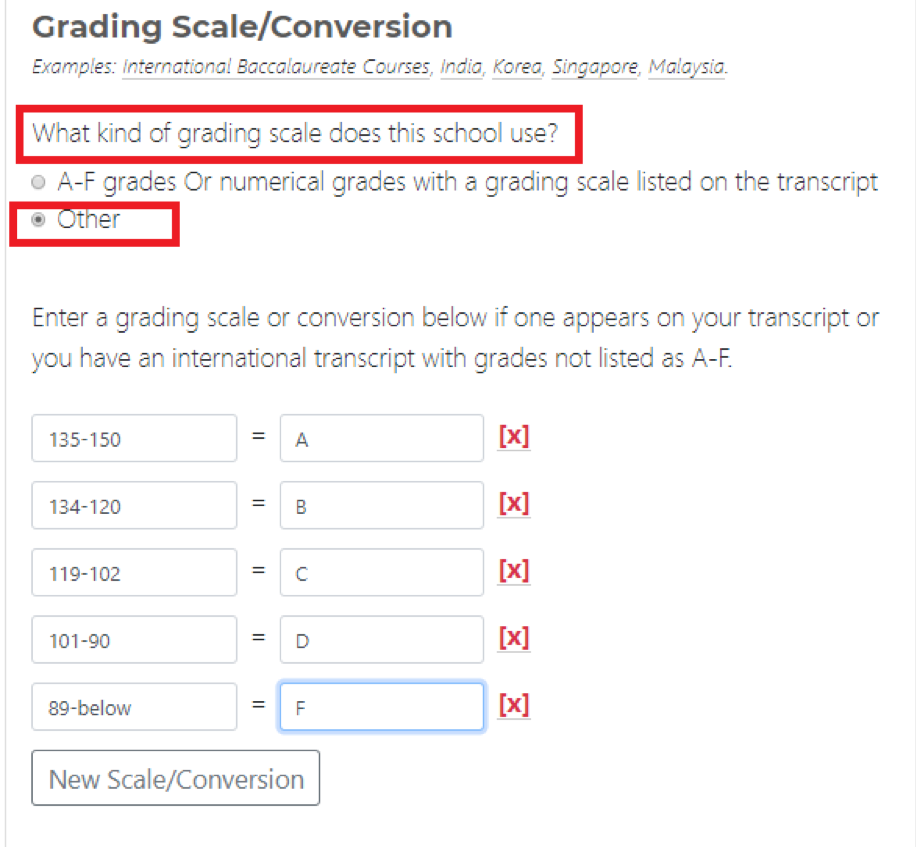
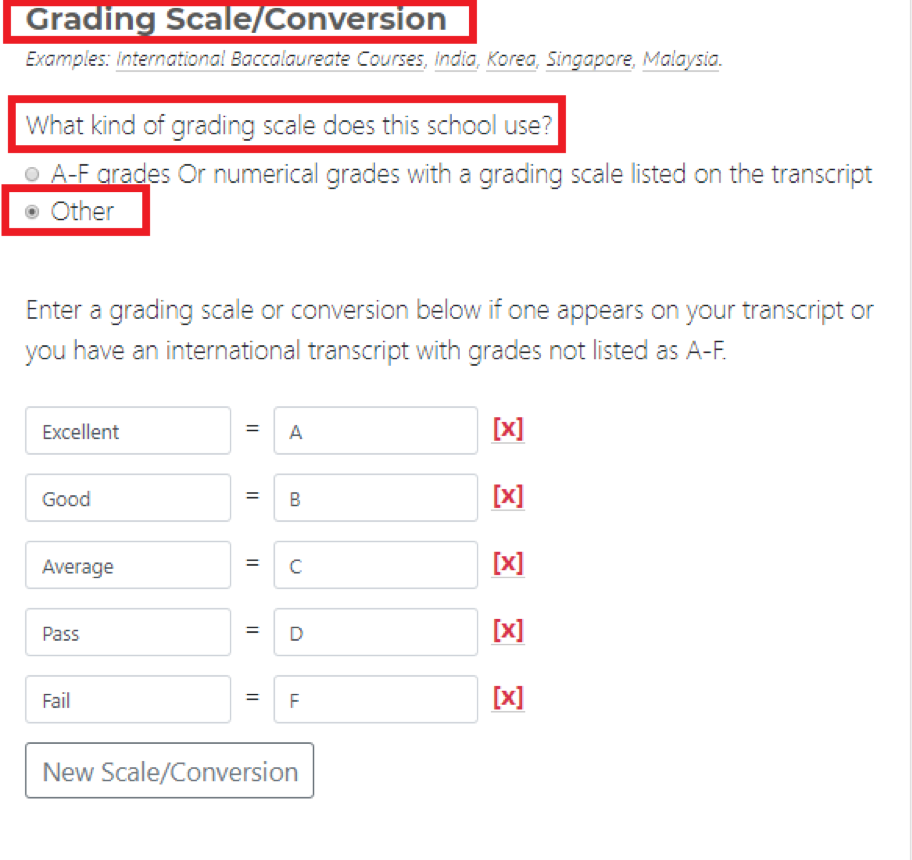
- Under the ‘Grading Scale/Conversion’, select ‘Other’.
- Click ‘New Scale/Conversion’ and enter the numerical ranges that equate to a letter grades.
Courses Section Help
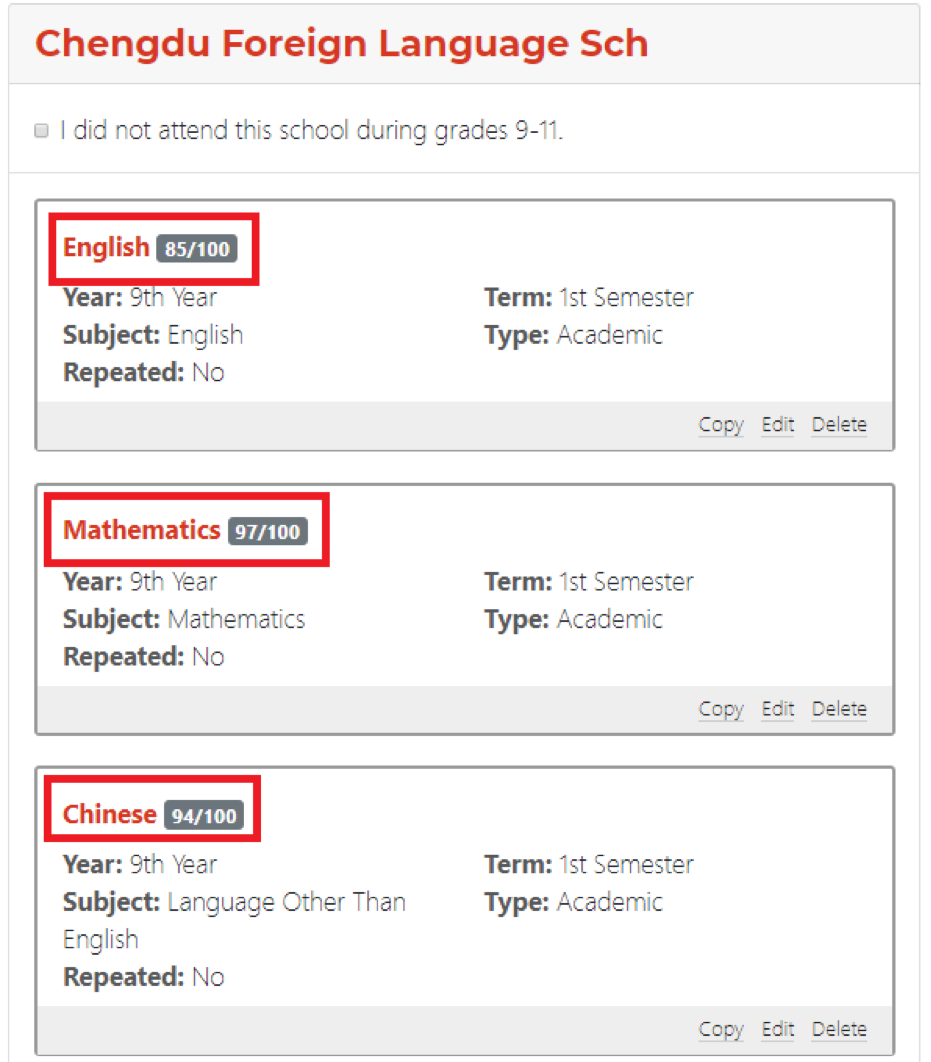
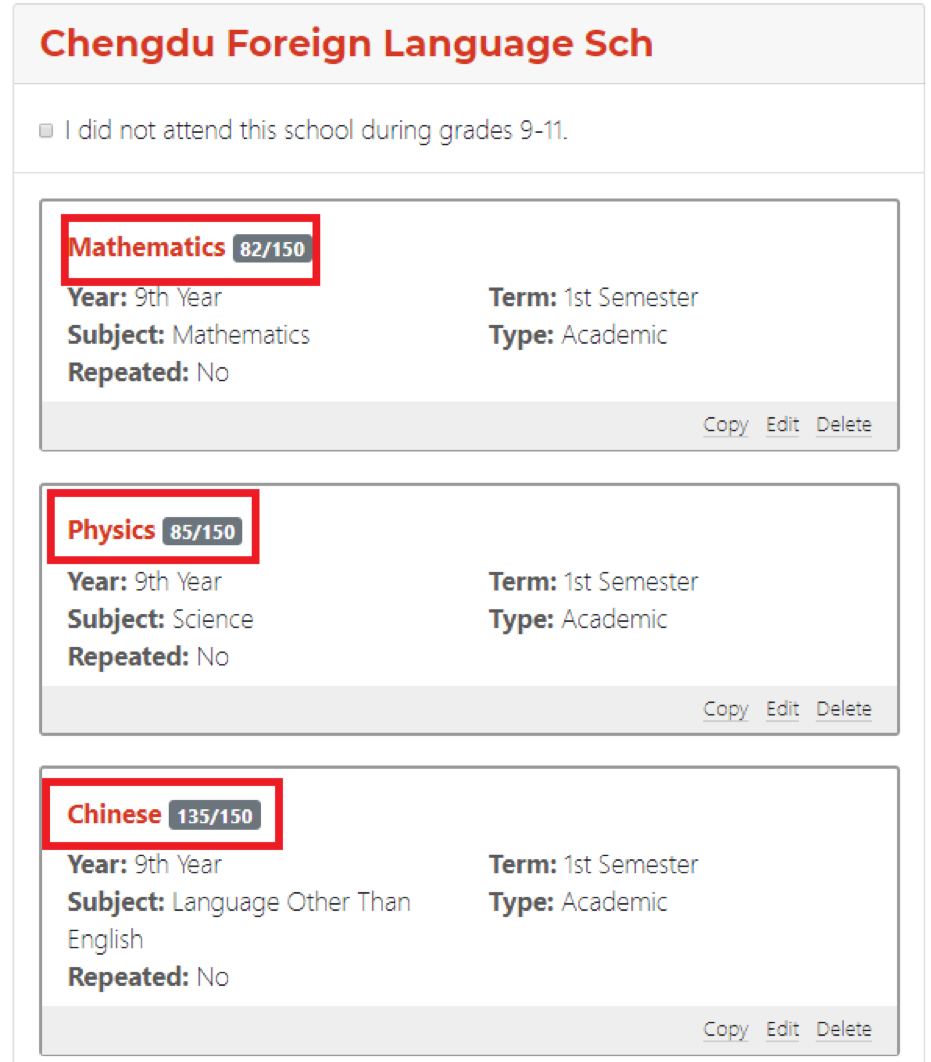
For schools following the Chinese national curriculum, enter the grade/mark/descriptor and the maximum grade for years 9 through 11.
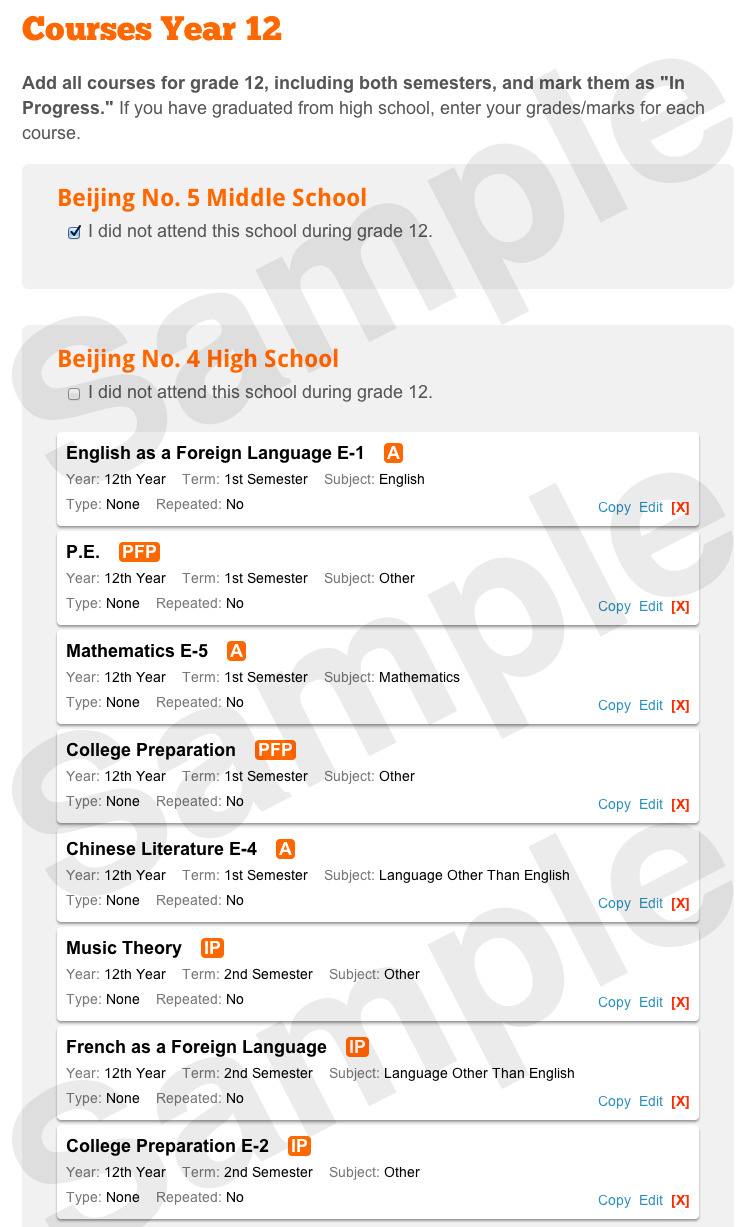
If you've completed year 12, the grade/mark/descriptor and maximum grade should be reported. Otherwise, the grade/mark/descriptor for year 12 should be listed as in progress (IP).
If you took O Levels/GCSEs and then moved to an IB program, report year 11 and 12 courses. Indicate the level (IB SL or IB HL) and list the full name of all courses. Report O Levels/GSCEs in the Other Academic Information section titled "International External Exam Results."
Examples
The following examples show a student's courses entry for grades 9 to 11 and grade 12 for both China and Beijing.
- China grading scale conversion (0-100 scale)
- China courses entry, grades 9-11 (0-100 scale)
- China grading scale conversion (0-150 scale)
- China courses entry, grades 9-11 (0-150 scale)
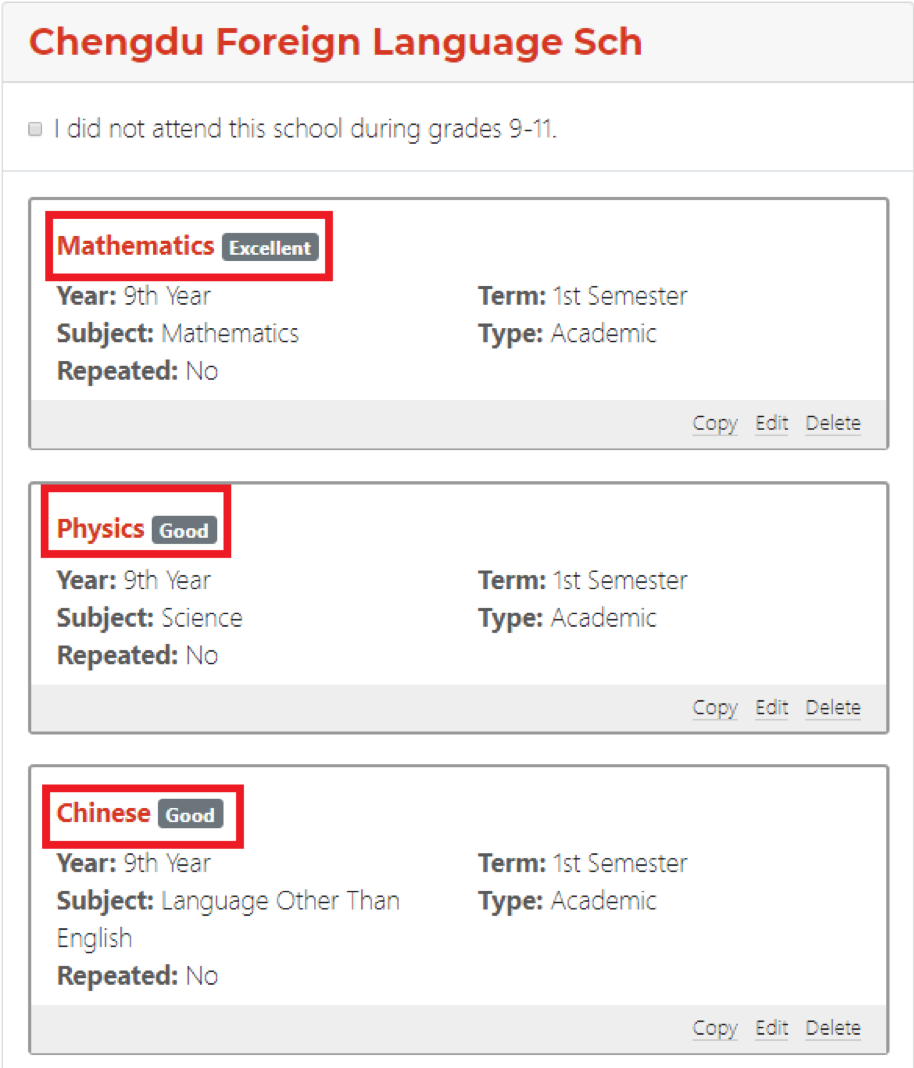
- China courses 9-11: Descriptor Grading Scale (Excellent, Good, Average, etc.)
- China courses entry, grades 9-11 (Descriptor Grading Scale: Excellent, Good, Average, etc.)
- Beijing courses entry, grades 9-11
- Beijing courses entry, grade 12